Creating a professional 3D logo no longer requires expensive software or advanced design skills. Thanks to powerful mobile technology, you can now learn how to make a 3D logo and customize it easily using your phone. Whether you’re an entrepreneur building your brand or a creative enthusiast, the right 3D logo maker app offers convenience, affordability, and professional results right at your fingertips.
In this guide on how to make a 3D logo using a mobile app, we’ll explore the best mobile apps for 3D logo design. You’ll learn how to customize 3D logos using your phone and edit 3D logos on mobile.
How Can You Make a 3D Logo on Your Phone Using a Mobile App?
Creating a professional 3D logo is easier than you think. With the right mobile app, you can learn how to make a 3D logo without design expertise in just a few simple steps. Whether you’re a beginner or a small business owner, learning how to design a logo without graphic design skills is now simple and accessible. This step-by-step guide will show you how to pick a template, customize it, and make a 3D logo directly using a mobile app.
Step 1: Choose the Right Logo Design App
Your choice of app ultimately decides how smooth your design process will be. Since not all apps can create real 3D depth, picking the right one can save you time and frustration. Therefore, the right tool should balance ease of use with powerful customization.
- For instance, look for apps that offer genuine 3D rendering, depth, and texture options, not just shadow effects.
- Some examples include Logowiz for AI-powered designs, Canva for versatility, DesignEvo for quick templates, or Logo Maker 3D for focused 3D features.
- Once you’ve chosen an app, download it, sign in, and set up your workspace so you’re ready to start designing.
A smart way to kick off your design journey is by choosing Logowiz, an AI-driven logo app. First, download the Logowiz app for Android from the Play Store. The app requires minimal storage space and is easy to install.
For iOS users, you can get the Logowiz app for iPhone from the App Store. Once installed, create your free account to access all the app’s features and start designing your 3D logo effortlessly.
Step 2: You Define Your Brand Identity
Before you dive into design, it’s important to know what your logo should represent. A clear brand identity ensures that your logo reflects your business values. Exploring different types of logos can help you choose a style that best represents your brand, guiding all your design decisions and enhancing your overall brand identity.
- Decide whether your brand tone is modern, playful, minimal, or premium, and reflect that in your design.
- Pick 2–3 consistent brand colors that represent your personality and stick with them throughout.
- Define your brand values (e.g., innovation, trust, or creativity) to help your logo connect with the right audience.
Step 3: Choose Design Approach
Once inside the app, you’ll first need to decide how to begin: either start with a ready-made template or design everything from scratch. Both approaches are valid, depending on your comfort level and the time you have available.
If you choose the AI Logo Generator option:
- Enter your Brand name in the text field
- Select your brand-related niche.
- See how the AI logo maker creates several ideas in seconds
- Browse through dozens of unique suggestions
Alternatively, if you prefer the Template Library option:
- Navigate to the template section
- Filter by category to match your brand type
- Choose from over 5,000 professionally designed templates
- Select layouts specifically optimized for the business brand
Step 4: Generate AI Logo Ideas
AI-powered tools save hours of brainstorming by generating multiple logo ideas instantly. As a result, beginners can easily learn how to make a 3D logo without starting from scratch. For example, Logowiz and Zoviz provide several variations that you can customize to match your brand’s unique style.
- Enter your brand name, slogan, and industry keywords, and let the app suggest tailored designs.
- Tools like Logowiz and Zoviz generate variations you can customize further for uniqueness.
- Use these suggestions as inspiration, but always add personal touches to keep your logo original.
Step 5: Customize Your Logo for a Unique Look
Customization is the most creative part of the process, where you turn an idea into your brand’s identity. Here, fonts, colors, and 3D effects come together to give your logo a signature look.
- Text & Fonts: Choose the best professional logo fonts that match your brand vibe. Adjust spacing, size, and alignment for balance.
- Colors & Effects: Stick to brand colors, add gradients, and use highlights or shadows to build 3D depth.
- Shapes & Icons: Replace template icons or add new icons. Resize and rotate until your design feels balanced and impactful.
Step 6: Add Your Logo to the Mockups
Testing your logo in real-world scenarios ensures it works everywhere. For instance, a design that looks good in an editor might appear cluttered on a business card, so previewing it on websites, social media, and merchandise is essential to maintain clarity and impact.
- Apply your logo to mockups like websites, packaging, business cards, or t-shirts to check versatility.
- Preview it against light, dark, and transparent backgrounds to see how it adapts.
- Apps like Placeit, or preview options in Logowiz and Canva, help you test the design visually.
Step 7: Save and Export Your 3D Logo
Once you’re happy with the design, the next step is saving it in the right format. This way, high-quality exports ensure your logo is ready for both digital and print use without losing clarity.
- Save in high-resolution PNG format to keep transparency and crisp quality for online use.
- If available, export in vector formats (SVG or EPS) for unlimited scalability in print.
- Always keep a master editable file, so you can return later and make updates without starting over.
What Are the Best Mobile Apps for 3D Logo Design?
Section Overview: This section reviews and compares top mobile applications for creating 3D logos, so you can choose the perfect tool for your needs.
While Logowiz excels in 3D logo creation, it’s also helpful to understand other available options, which allow you to make more informed decisions. Therefore, let’s explore the leading apps in this space.
Logowiz

Overview: Logowiz is specifically designed for creating professional 3D logos on mobile devices. It bridges the gap between amateur logo makers and professional design software.
Key Features:
- AI-Powered Logo Generation: Simply enter your brand name, industry, or style preferences, and Logowiz’s AI instantly generates unique, professional logo concepts tailored to your brand.
- Extensive Template Library: Access thousands of ready-to-use templates designed for various industries, ensuring you never start from scratch.
- Advanced Customization Tools: Modify colors, fonts, icons, and layouts, or add 3D effects, textures, and shadows to make your logo truly stand out.
- Massive Icon & Font Library: Choose from a wide selection of icons and fonts to create a logo that reflects your brand personality.
- User-Friendly Interface: Logowiz offers an intuitive design experience, making it perfect even for beginners with no graphic design background.
- Instant Download & Export Options: Download your finished logo instantly in multiple formats, such as PNG, JPG, or SVG.
- Cross-Platform Access: Create and edit your logos anytime on mobile or desktop for maximum flexibility.
- Brand Kit Support: Maintain consistency across your brand with automatic color palettes, font pairings, and style recommendations.
Pros
-
User-friendly interface perfect for beginners
-
Powerful 3D capabilities rivaling desktop software
-
Affordable pricing with a robust free tier
-
Excellent customer support
-
No design experience required
Cons
-
Some advanced features require a premium subscription
-
Learning curve for complex 3D effects
Best For: Entrepreneurs, small business owners, and anyone wanting professional 3D logos without hiring designers. As one of the most reliable AI logo generators for small businesses, Logowiz simplifies the entire branding process, making it easy to create a unique and professional logo in minutes.
Canva

Overview: Canva has evolved from a simple graphic design tool into a comprehensive creative platform, including logo design capabilities.
Key Features:
- Massive Template Library: First and foremost, access thousands of pre-made logo templates for any industry.
- Drag-and-Drop Editor: In addition, easily customize designs using simple, beginner-friendly tools.
- Brand Kit: What’s more, maintain consistent colors, fonts, and styles across all your designs.
- Multi-Purpose Design Tool: Besides that, create not just logos but also social posts, flyers, and more.
- Cross-Platform Use: Lastly, seamlessly design on mobile, tablet, or desktop devices.
Pros
Extremely intuitive interface
Excellent for beginners
Multi-purpose (not just logos)
Strong free version
Cons
Limited true 3D capabilities compared to specialized apps
3D effects are less sophisticated
It can feel overwhelming with too many options
Best For: Users who need various design assets beyond logos, or those already familiar with Canva.
DesignEvo

Overview: DesignEvo emphasizes speed and simplicity, offering thousands of pre-made templates that users can quickly customize.
Key Features:
- Large Template Collection: To start with, DesignEvo offers thousands of ready-to-use logo templates to choose from.
- Easy Customization: Additionally, simple tools allow you to adjust fonts, colors, icons, and layout with ease.
- Icon & Font Library: Moreover, it includes a rich selection of icons and fonts to help personalize your design.
- Export Options: As a result, you can save your logo in multiple formats, such as PNG, JPG, or SVG.
- Quick Workflow: Finally, the fast design process ensures a minimal learning curve, making it ideal for beginners.
Pros
Most advanced 3D capabilities on mobile
Professional-quality rendering
Excellent for complex 3D effects
Great texture options
Cons
The interface can feel cluttered
Limited template variety
Slower rendering on older devices
Best For: Users who want quick results and don’t mind template-based designs.
Logo Maker 3D

Overview: Logo Maker 3D focuses exclusively on three-dimensional logos, providing in-depth customization of 3D elements.
Key Features:
- 3,000+ Logo Templates & Unlimited Icons: To begin with, start quickly with professionally designed templates and icons for every niche.
- Advanced Editing Tools: Moreover, rotate, curve, flip, resize, and adjust hues to create realistic 3D logo effects.
- Extensive Font Library: In addition, access 100+ font styles and apply custom text effects for a unique look.
- Rich Design Elements: Furthermore, explore backgrounds, textures, gradients, and overlays to add visual depth.
- High-Quality Export Options: Finally, download logos in high resolution with transparent backgrounds, perfect for branding and social media.
Pros
Most advanced 3D capabilities on mobile
Professional-quality rendering
Excellent for complex 3D effects
Great texture options
Cons
The interface can feel cluttered
Limited template variety
Slower rendering on older devices
Best For: Users comfortable with design concepts who want maximum 3D control.
Adobe Express

Overview: Adobe Express brings Adobe’s design expertise to mobile, offering professional tools in an accessible format.
Key Features:
- Adobe Font Library: Firstly, access a wide selection of professional fonts for your logo and designs.
- Professional Color Tools: Furthermore, you can apply precise color adjustments to create visually appealing logos.
- Basic 3D Effects: Besides that, add subtle 3D effects to give depth and dimension to your designs.
- Integration with Other Adobe Apps: Likewise, seamlessly work with other Adobe applications for a smooth design workflow.
- Template Variety: Lastly, choose from a diverse range of templates to quickly kickstart your design projects.
Pros
Professional-grade tools
Excellent typography options
Seamless Adobe ecosystem integration
High-quality exports
Cons
3D capabilities are less developed than specialized apps
Requires subscription for full features
It Can be complex for beginners
Best For: Users already in the Adobe ecosystem or those wanting professional design tools.
Comparison Table:
| Features | Logowiz | Canva | DesignEvo | Logo Maker 3D | Adobe Express |
|---|---|---|---|---|---|
| Free to Design | ✔ | ✔ | ✔ | ✔ | ✔ |
| Premade Templates | ✔ | ✔ | ✔ | ✔ | ✔ |
| 3D Logo Support | ✔ (AI-powered) | ✔ (basic 3D effects) | ✔ (shapes & icons) | ✔ (3D text focus) | ✔ (3D styles & shadows) |
| One-Time Fee Option | ✔ | ✘ | ✔ | ✔ | ✘ |
| Brand Kit Available | ✔ | ✔ | ✘ | ✘ | ✔ |
| File Formats | PNG, JPG, SVG, PDF | PNG, JPG, SVG, PDF | PNG, JPG, SVG | PNG, JPG | PNG, JPG, SVG, PDF |
| Customization Options | Advanced | Advanced | Moderate | Basic (3D text & icons) | Advanced |
What are the Best Examples of 3D Logo Design?
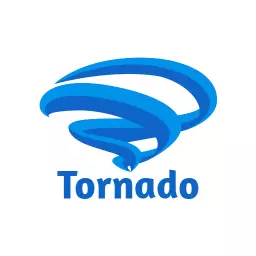
To begin with, this demo template showcases how Logowiz transforms your ideas into professional 3D logos effortlessly. Moreover, it highlights key features like AI-powered suggestions, customizable textures, and real-time 3D rendering. Additionally, by exploring this template, you can see how quickly a concept evolves into a polished, brand-ready logo. Finally, it serves as a practical example for beginners and professionals alike to understand the app’s full potential.




What are The Best 3D Logo Ideas You Can Create using Mobile Apps?
In today’s fast-paced digital world, first impressions matter. Your logo often serves as the face of your brand, and a well-designed 3D logo can make your business stand out instantly. Fortunately, with modern mobile apps, creating a professional 3D logo has become easier than ever. Whether you are a small business owner, freelancer, or entrepreneur, you can craft stunning 3D logos directly from your smartphone. And if you want to design an eCommerce logo that truly reflects your brand, using the best eCommerce logo maker apps is the perfect way to achieve professional results effortlessly.
In this article, we’ll explore the best 3D logo ideas you can create on mobile apps, along with practical tips to make your design truly unique.
1. Minimalist 3D Logos
Minimalism never goes out of style. By keeping your logo clean and simple, you make it versatile and easy to remember. Additionally, using subtle 3D effects, like soft shadows or extruded text, can add depth without overwhelming the design.
Why it works: Minimalist 3D logos are timeless and adapt well across different platforms, from websites to business cards.
Tip: Use 2–3 brand colors and focus on a strong, readable font to maximize impact.
2. Gradient Depth Logos
Gradients can give your logo a modern and dynamic look. By blending colors seamlessly, your 3D logo gains dimension and visual interest. Moreover, many mobile apps allow you to apply gradient layers to both text and icons, creating an eye-catching design.
Why it works: Gradient depth logos convey energy and innovation, making your brand look professional and contemporary.
Tip: Stick to your brand palette and avoid too many colors to maintain a cohesive look.
3. Text-Focused 3D Logos
Sometimes, your brand name itself is the hero. Text-focused 3D logos highlight your brand name with extruded or embossed lettering. In addition, you can add shadows, bevels, or textures to make the text pop.
Why it works: These logos are simple yet memorable, especially for businesses that rely on name recognition.
Tip: Pair your 3D text with a subtle icon or background element for extra flair.
4. Icon-Based 3D Logos
Adding icons or symbols to your logo enhances visual storytelling. By applying 3D effects to your icons, you can create depth and make your logo more engaging. For example, mobile apps like Logowiz or Logo Maker 3D allow you to rotate, resize, and layer icons for a professional finish.
Why it works: Icon-based 3D logos quickly communicate your brand’s purpose, making them ideal for apps, tech startups, and creative businesses.
Tip: Choose icons that align with your brand values and simplify the design for clarity.
5. Animated 3D Logos
For digital-first brands, animated 3D logos are increasingly popular. With mobile apps that support motion effects, you can create subtle animations like spinning text, moving shadows, or pulsing icons.
Why it works: Animated logos capture attention online, especially on social media and video platforms.
Tip: Keep the animation short and smooth to avoid distraction while enhancing brand recognition.
6. Geometric 3D Logos
Geometric shapes bring structure and balance to your logo. By applying 3D effects to circles, triangles, or hexagons, you create a modern, tech-savvy look.
Why it works: Geometric 3D logos are perfect for brands that want to appear organized, innovative, and professional.
Tip: Combine geometric shapes with gradients or shadows to achieve a dynamic 3D effect.
7. Layered 3D Logos
Layered logos use multiple overlapping elements to create depth and dimension. This way, you can combine text, icons, and shapes creatively. Furthermore, mobile apps make it easy to move layers, adjust opacity, and add 3D effects.
Why it works: Layered 3D logos feel dynamic and versatile, ideal for modern startups and digital brands.
Tip: Maintain balance by limiting the number of layers, so the design remains clear and readable.
Tips for Creating the Perfect 3D Logo on Mobile Apps
- First, choose the right app: Logowiz, DesignEvo, Canva, or Logo Maker 3D.
- Next, keep your brand identity in mind: ensure colors, fonts, and icons align with your brand.
- Then, test in mockups: preview your logo on different backgrounds, devices, and merchandise.
- Finally, export in high resolution: PNG, SVG, or EPS for scalability across all platforms.
What are The Advantages of Making 3D Logos Using a Mobile App?
Today, creating a professional 3D logo no longer requires advanced software or professional expertise. With just your smartphone, you can easily make a 3D logo using a mobile app and enjoy multiple advantages. From saving time and money to having complete creative freedom, mobile apps are changing the way brands build their identities and discover unique creative logo ideas for businesses that truly stand out. Let’s take a closer look at the top benefits:
1. Convenience at Your Fingertips
The biggest advantage is convenience. In fact, you don’t need to be tied to a desktop or high-end software; instead, simply open the app on your phone and start designing. Consequently, you can work during commutes, coffee breaks, or even while traveling, which makes the design process more flexible and stress-free.
2. Budget-Friendly Solution
Hiring a professional designer can be expensive, especially for small businesses or startups. However, mobile apps provide free or affordable plans that still deliver high-quality designs. Moreover, with options like free trials and one-time fees, you can create a stunning 3D logo without breaking the bank.
3. Wide Range of Templates
Most mobile logo design apps come loaded with hundreds of templates tailored for different industries. Instead of starting from scratch, you can simply pick a 3D-ready template that matches your niche. Then, quickly, with just a few taps, you can customize fonts, icons, and colors to perfectly fit your brand’s personality.
4. Easy-to-Use Tools
Another great advantage is how simple these apps are to use. Specifically, they’re designed for beginners, so even if you’ve never created a logo before, you’ll feel comfortable right away. Moreover, features like drag-and-drop editing, live previews, and step-by-step guidance make it possible to create professional 3D logos in just minutes.
5. Instant Sharing and Export
Once your logo is ready, you no longer have to wait days to receive files from a designer. In fact, mobile apps let you download your design instantly in multiple formats like PNG, JPG, or SVG. Furthermore, many apps allow direct sharing on social media, making it easy to promote your new brand identity without any delay.
6. Flexibility and Customization
Moreover, with mobile apps, you’re in full control of the creative process. You can easily adjust shapes, colors, and effects, and even experiment with 3D depth until the logo feels just right. Consequently, this flexibility ensures that the final design is not only professional but also truly unique to your brand’s vision.
What are the Common Mistakes to Avoid When Creating a 3D Logo on Mobile Apps?
How to steer clear of common mistakes for a professional result
The jump from 2D to 3D can be tricky. However, by being aware of typical errors, you can bypass the pitfalls and ensure a polished outcome.
Why is Overcomplicating the Design a Fatal Flaw?
Initially, new designers, excited by 3D effects, often try to cram too many elements, colors, or textures into the design. As a result, this creates a visually noisy and chaotic logo that loses impact when scaled down.
- Solution: Follow the ‘KISS’ principle (Keep It Simple, Stupid). Begin with a simple 2D base. The 3D effect should enhance the design, not dominate it. Limit yourself to one main icon, one typeface, and a maximum of three colors.
What Happens When You Ignore Brand Guidelines?
Moreover, a 3D logo that doesn’t align with your existing branding can create visual confusion. For instance, if your brand is known for minimalist, flat designs, suddenly introducing a hyper-realistic, embossed 3D logo may disorient your audience.
- Solution: The 3D effect must complement your brand’s core values. For serious or corporate brands, opt for a subtle, elegant bevel. Conversely, for gaming or tech-focused brands, a bold metallic extrusion works better.
Why is Using Low-Quality Textures a Major Design Misstep?
A low-quality, stretched, or pixelated texture applied to a 3D element will instantly make the logo appear cheap and unprofessional. Therefore, using high-resolution textures is essential.
- Solution: Utilize the built-in, high-quality textures from professional apps like Logowiz. If uploading your own, ensure it is a high-resolution, seamless image that scales without distortion.
How Do You Choose the Right Colors or Fonts for a 3D Logo?
Poor color or font choices can undermine even the best 3D execution.
- Color Clashes: Using too many bright, opposing colors can make shadows and highlights, which define the 3D, appear muddy. Thus, selecting the right color combinations for logos enhances depth and makes your 3D logo look polished and professional.
- Inappropriate Fonts: Highly decorative or script fonts don’t translate well into 3D. Consequently, choose strong, clean, block-style fonts (like bold Sans-Serif) with clear edges to maximize the extrusion effect.
Frequently Asked Questions
The best mobile logo maker for creating a 3D logo is LogoWiz. It combines AI-powered logo generation, hundreds of customizable templates, and real-time 3D effects. Moreover, it is beginner-friendly, allowing anyone to design professional 3D logos directly from their smartphone.
To make a 3D logo on mobile apps, download Logowiz, enter your brand name and niche, and select a template or start from scratch. Customize fonts, colors, icons, and 3D effects. Finally, preview your logo in mockups and export it in high resolution for digital and print use.
Yes! With LogoWiz, you can easily create a professional 3D logo using AI-powered tools. The platform adds depth, shadows, and textures automatically for a realistic 3D look. You can also customize colors, fonts, and effects on your phone or desktop, making it perfect for businesses, startups, and creators without any advanced design skills.
LogoWiz is perfect for beginners, offering an intuitive interface and AI-powered tools. It allows you to create and customize 3D logos easily on your phone. You can also download high-resolution logos without any advanced design skills.
You can create a logo in high resolution using many 3D logo maker apps, but LogoWiz stands out for its ease of use and professional results. With LogoWiz, you can design and customize logos directly on your phone, then download them in high-resolution formats suitable for websites, social media, and print without any cost.
Conclusion
The era of relying on expensive, complicated desktop software for professional branding is over. Moreover, this guide has shown steps to make a logo using a mobile app, even if it comes to creating a 3D logo effortlessly.
From selecting a template to applying custom textures and 3D effects, the process is now streamlined, accessible, and requires no prior design experience. Additionally, mobile apps enable faster and more convenient logo creation, all under your control.
Consequently, if you want a modern, eye-catching brand identity, the power is in your hands. Make a 3D logo using a mobile app like Logowiz, with AI-powered tools and advanced customization to create a professional logo in minutes.