In today’s digital-first world, an eCommerce logo maker app makes branding easier than ever, allowing you to design professional logos quickly using an online logo maker. Not only does it save time, but it also helps build a brand identity that customers trust, making logo creation simple, fast, and affordable.
A well-designed logo adds credibility, consistency, and recognition across websites, social media, and packaging. Consequently, it often becomes the first impression customers see, effectively conveying your brand’s values and style.
Moreover, modern eCommerce logo design apps use AI and ready-made templates to generate logos in minutes, helping businesses cut costs while creating a brand that truly stands out.
Curated list of 10 Best eCommerce logo maker apps
- LogoWiz
- Canva Logo Maker
- DesignEvo
- Arvin®
- Zoviz
- Wix Logo Maker
- Adobe Express
- Placeit by Envato
- Hexa
- Fluer AI Logo Maker
What Are the Best eCommerce Logo Maker Apps?
With so many tools available, it can be tough to choose the right one for your store. Below are 10 of the best logo design apps for eCommerce in 2026, each offering unique features, pricing, and benefits to help you design a professional brand identity.
1. LogoWiz
Logowiz is one of the best AI logo generators for logo design, because it helps small businesses and eCommerce owners create professional-quality logos without the high cost of hiring a designer. In addition, the platform blends advanced artificial intelligence with an easy-to-use interface, so even beginners can design logos that look polished and brand-ready.
Features:
- Easy-to-use user interface: To begin with, the design is intuitive and user-friendly, requiring minimal effort to navigate and interact with the application. Moreover, this ensures a smooth and quick logo creation process for any user, regardless of design skill.
- Editable logo design: In addition, users can easily make changes to various elements, including colors, fonts, shapes, and layouts. This flexibility allows for personalization and fine-tuning to best represent the brand’s unique image and messaging.
- Extensive icon and font library: Furthermore, the logo maker provides a rich pool of creative resources through its comprehensive library of icons and fonts. As a result, this vast collection helps users create unique and visually appealing logos that stand out.
- Fast and efficient results: Similarly, the app enables the creation of professional-looking logos in a timely manner. Therefore, users enjoy both efficiency and quality without losing access to various customization options.
- One-tap download: Additionally, content or final logo files can be quickly and easily secured and saved with a single tap. Consequently, this simplifies the process of obtaining the final design for immediate use.
- Make changes and re-download: Finally, users can change any part of their logo design at a later time. Afterward, the updated design can be re-downloaded an unlimited number of times, offering maximum flexibility for future brand adjustments.
Moreover, you can easily download the Logowiz app on Android via Google Play and start creating logos straight from your smartphone.
Similarly, if you’re an iPhone user, Logowiz is also available on the App Store, making it convenient to design and customize logos anytime, anywhere.
| Pros | Cons |
|---|---|
| Simple, user-friendly interface that’s perfect for beginners with no design experience. | The free plan offers only low-resolution downloads |
| Strong customization options for fonts, colors, icons, layouts, and spacing. | Some templates look generic if not customized well |
| Cost-effective alternative to hiring professional designers or agencies. | Advanced branding kits (business cards, social media designs) require a paid upgrade |
| Professional export formats, including scalable vector files, for versatile branding. | Lacks collaborative features for team-based branding projects. |
| Large, regularly updated template collection aligned with modern logo design trends. |
Pricing:
- Free – $0 Basic templates & tools, limited exports.
- Monthly – $7 Removes watermark, unlocks premium templates, high-res & vector exports.
- Yearly – $37 Same premium features as monthly, offered at a discounted rate.
2. Canva Logo Maker
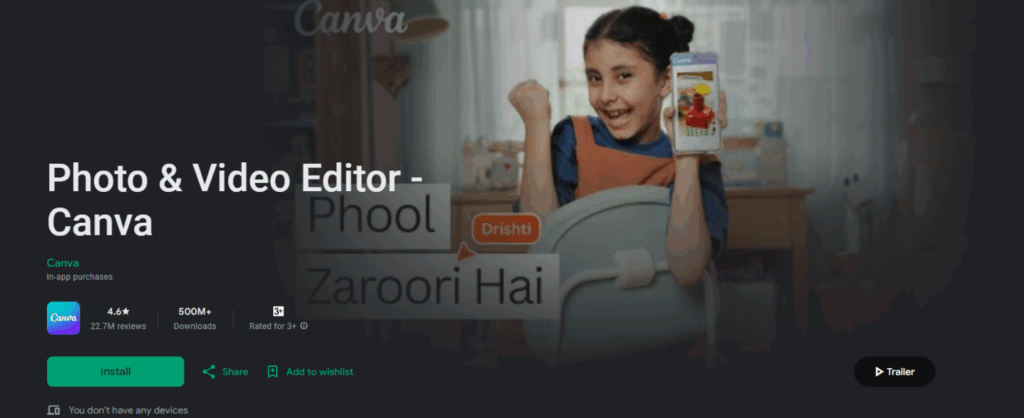
Canva is ideal for eCommerce owners because it enables you to build consistent, brand-aligned visual assets all in one place. For instance, you can design your logo, social media posts, banners, and product graphics within a single tool. Moreover, its intuitive interface allows you to iterate quickly, making it especially perfect for new brands or businesses operating on a budget.
Features:
- Firstly, the drag-and-drop editor makes designing fast and easy, even for beginners.
- In addition, thousands of templates, fonts, icons, and graphics provide endless creative options.
- Moreover, the Brand Kit keeps colors, fonts, and logos consistent across all designs.
- Furthermore, pro tools like Magic Resize and background remover save valuable time.
- Finally, export options include PNG, JPG, PDF, and scalable vector files for both digital and print use.
| Pros | Cons |
|---|---|
| Beginner-friendly interface that makes designing easy, even for first-time users. | The free plan has limited export options and fewer premium elements. |
| Thousands of templates, fonts, and graphics for quick and creative options. | A pro subscription may feel costly for very small businesses. |
| Works smoothly across web and mobile apps with synced access. | Limited offline access since it’s mostly cloud-based. |
Pricing:
- Free – $0 Basic templates, PNG export.
- Pro – $15/month or $120/year Brand Kit, premium templates, vector exports.
- Teams/Enterprise – Custom Advanced team features.
3. DesignEvo
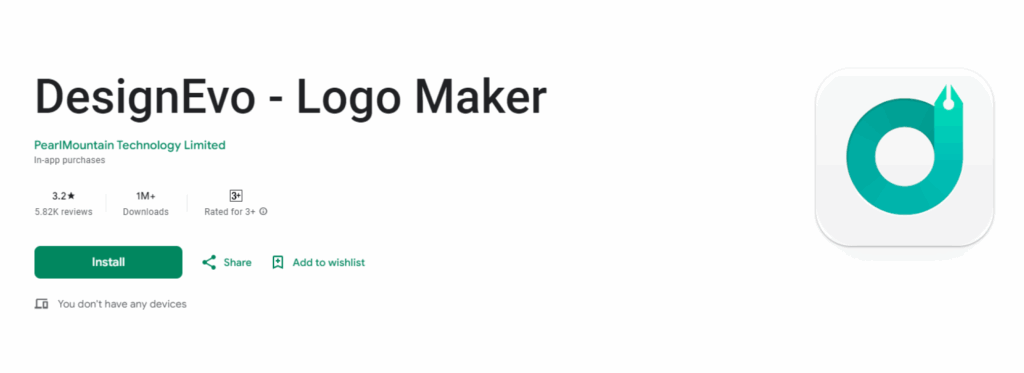
DesignEvo is a user-friendly logo design tool, specifically built for entrepreneurs, small businesses, and online sellers. Furthermore, with thousands of templates across various industries, it enables you to create a professional logo in just minutes without the need to hire a designer. In addition, its simple drag-and-drop editor ensures that anyone can quickly build a unique and memorable brand identity.
Features:
- 10,000+ templates across niches like tech, fashion, food, and business.
- Drag-and-drop editor makes it simple to adjust icons, fonts, and colors.
- On top of that, the cloud-based platform allows you to save, edit, and access your logo anytime.
- In parallel, high-resolution and vector exports (PNG, SVG, PDF) are included in paid plans.
- Transparent background support for easy use on websites, packaging, and social media.
| Pros | Cons |
|---|---|
| Huge collection of 10,000+ ready-to-use templates for all industries. | The free plan only allows low-resolution logo downloads. |
| Beginner-friendly interface, no design skills required. | Advanced customization options are somewhat limited. |
| Affordable one-time pricing instead of monthly fees. | Vector and high-res files are locked behind paid plans. |
Pricing:
- Free – $0, low-res PNG logo downloads.
- Basic Pack – $24.99 one-time, high-res PNG with transparent background.
- Plus Pack – $49.99 one-time, vector files (SVG, PDF) + full copyright.
4. Arvin®
Arvin® is an AI-powered logo generator, specifically designed to help startups, small businesses, and eCommerce owners create professional-looking logos in minutes. Moreover, with its industry-specific templates and easy-to-use customization tools, it becomes an excellent choice for anyone who needs quick, polished branding. As a result, you can achieve professional-quality logos without hiring a designer, saving both time and money.
Features:
- The AI-powered generator quickly creates logos from your brand name and style, making the process effortless.
- At the same time, you can use industry-specific templates designed for startups, eCommerce stores, and small businesses.
- To make things easier, simple editing tools allow you to adjust fonts, colors, and layouts with ease.
- What’s more, multiple export formats such as PNG, SVG, and PDF are available for flexible usage.
- Overall, the beginner-friendly design process ensures fast and professional results, even for first-time users.
| Pros | Cons |
|---|---|
| Fast logo creation powered by AI with minimal effort. | The free plan only provides low-resolution logos. |
| Easy-to-use interface that requires no design experience. | Advanced branding assets require a paid upgrade. |
| Logos are exportable in high-quality formats suitable for web and print. | Customization is more limited compared to pro design platforms. |
Pricing:
- Free – $0, basic low-res PNG logos.
- Plus Pack – $19.99/month, high-res PNG with commercial rights.
- Unlimited Pack – $39.99/month, vector files + branding assets.
5. Zoviz
Zoviz is more than just a logo maker; in fact, it provides full brand identity kits that include social media graphics, stationery, and more. Therefore, it’s ideal for startups and eCommerce businesses looking for consistent branding across digital and print platforms, even without advanced design skills.
Features:
- First of all, the AI-powered logo generator offers easy customization for colors, fonts, and layouts.
- Along with that, it automatically creates complete brand kits, including social media assets and stationery.
- In the same way, customization options allow you to adjust fonts, colors, and layouts to match your brand style.
- On top of that, high-quality exports are available in PNG, JPG, and scalable vector formats.
- Last but not least, the user-friendly editor ensures fast personalization even without any prior design experience.
| Pros | Cons |
|---|---|
| Complete branding kits, not just logos, for a consistent identity. | Most advanced features are only available in paid plans. |
| Beginner-friendly platform with simple editing tools. | Limited flexibility compared to advanced design software. |
| Professional-quality outputs suitable for both digital and print. | Brand kits may look generic if not customized properly. |
Pricing:
- Free – $0, basic logos with watermark.
- Premium – $19.99 one-time, high-res PNG logos.
- Brand Kit – $49.99/year, vector files + full brand kit.
6. Wix Logo Maker
Wix Logo Maker is particularly useful for eCommerce store owners because it helps create a polished, consistent brand look across their store, social media, and promotional materials without needing to hire a designer. Moreover, the AI-assisted workflows speed up the logo design process, while vector files ensure the logo works perfectly from a small icon to a large banner. Additionally, if your store is already on Wix or you plan to build it there, the tight integration makes branding both simple and efficient.
Features:
- Specifically, the AI generates logo suggestions tailored to your brand and industry.
- Full customization of fonts, colors, icons, and layouts.
- On top of that, direct integration with the Wix website builder ensures seamless branding.
- Exports in high-resolution formats, including scalable vector files.
- User-friendly workflow that guides you through the design step by step.
| Pros | Cons |
|---|---|
| Quick and easy logo creation with AI + manual editing. | The free version does not allow high-resolution downloads. |
| Logos are scalable and suitable for both print and digital use. | Mainly tailored for Wix users, it is less flexible outside the ecosystem. |
| Affordable one-time pricing for professional logos. | Customization options are good, but less advanced than pro design tools. |
Pricing:
- Free to Design – $0 Create a logo, pay to download.
- Basic Package – ~$17 one-time Standard logo files.
- Advanced Package – $36/month Vector files + full rights.
7. Adobe Express
Adobe Express brings professional design quality to beginners because its AI-powered logo maker simplifies the creation process. Furthermore, backed by Adobe’s creative tools, it’s perfect for businesses that want polished, brand-ready logos, while also providing advanced customization options for other visuals such as social media posts, banners, and ads.
Features:
- AI-powered logo generator backed by Adobe’s design expertise.
- Alongside that, it provides thousands of templates, fonts, icons, and design elements.
- Integration with Adobe Creative Cloud for advanced editing options.
- As well, you can export logos in high-resolution formats, including scalable vector files.
- Easy-to-use editor suitable for both beginners and professionals.
| Pros | Cons |
|---|---|
| Professional-quality logos with Adobe reliability. | The free version comes with limited templates and export options. |
| Huge template and asset library for versatile design needs. | Subscription may feel costly for small businesses or startups. |
| Supports high-res and vector exports for all platforms. | Some features require knowledge of Adobe’s broader ecosystem. |
Pricing:
- Free – $0, basic templates with limited exports.
- Premium – $9.99/month, $99.99/year, high-res files + branding kit.
- Teams – Custom pricing, advanced team collaboration tools.
8. Placeit by Envato
Placeit is ideal if you’re running an online store and need more than just a logo. For example, it provides mockups that let you preview your logo and branding on actual product images, packaging, or marketing materials. As a result, this helps you maintain visual consistency across your store, social media, and ads. Furthermore, since many assets are included under the subscription, it offers excellent value when you need multiple visuals.
Features:
- To start with, thousands of ready-to-use logo templates are available across multiple industries.
- Furthermore, you can create mockups for t-shirts, packaging, websites, and social media branding to see your logo in real-life scenarios.
- Additionally, video templates and marketing assets are designed specifically for eCommerce purposes.
- Besides that, the editor is easy to use with drag-and-drop customization for quick design changes.
- Lastly, the subscription offers unlimited access to logos, mockups, and videos, providing complete creative freedom
| Pros | Cons |
|---|---|
| Massive library covering logos, mockups, and videos. | Logos may feel generic if templates aren’t customized. |
| Perfect for online sellers, dropshipping, and print-on-demand. | Customization options are less advanced than pro design tools. |
| Affordable subscription with unlimited downloads. | No free high-res logo downloads available. |
Pricing:
- Single Logo – $39 one-time: One logo download.
- Monthly – $14.95/month Unlimited logos, mockups, and videos.
- Yearly – $89.69/year Same unlimited access at a lower cost.
9. Hexa
Hexa is more than just a logo maker; in fact, it’s a full AI-powered design platform. As a result, it helps eCommerce brands create logos, ads, product visuals, and social media graphics all in one place. Therefore, it is especially useful for businesses that want consistent branding across multiple channels without needing to juggle different tools.
Features:
- An AI-powered logo generator that creates designs instantly from your brand name.
- All-in-one platform for logos, ads, product visuals, and social media graphics.
- Smart editing tools for customizing fonts, colors, icons, and layouts.
- High-resolution and vector file exports for both digital and print use.
- Cloud-based workspace to manage all branding assets in one place.
| Pros | Cons |
|---|---|
| Combines logo creation with wider branding needs. | The free plan is very limited with low-res downloads. |
| Saves time with AI-driven, ready-to-use designs. | Premium plans are expensive compared to simple logo makers. |
| Suitable for a professional, scalable brand identity. | Learning curve if you only need a basic logo. |
Pricing:
- Free – $0, basic AI logos with low-res PNGs.
- Premium – $7.99/weekly, high-res logos and advanced customization.
- Business – $39.99/yearly, unlimited exports + branding toolkit.
10. Fluer AI Logo Maker
Fluer AI Logo Maker is designed for entrepreneurs, startups, and small online businesses because it allows them to create a professional logo without spending hours learning design tools or hiring expensive agencies. Moreover, powered by AI, the platform generates logo options instantly once you provide your brand name and industry. In addition, unlike some complex platforms, Fluer keeps the process streamlined, making it perfect for beginners who need fast, professional results.
Features:
- In particular, the tool transforms your brand name into professional logo designs within seconds.
- Simple editing tools for customizing fonts, colors, and layouts.
- Pre-made templates designed for small businesses and online stores.
- High-resolution and vector export options for print and digital use.
- Not only that, the cloud-based platform allows you to work on your logos from any device, anytime.
| Pros | Cons |
|---|---|
| Beginner-friendly and easy to navigate. | Free plan limited to basic logos with watermarks. |
| Fast AI logo generation with minimal setup. | Premium plans are expensive compared to the features. |
| Good for small businesses and startups on a budget. | Lacks advanced branding kits or collaboration tools. |
Pricing:
- Free – $0, basic AI logos with watermark.
- Pro Monthly – $9.95/month, HD logos, vector files, watermark-free.
- Teams – $29.95/month, same features with a discounted rate.
Which Logo Maker App Is Best for Your eCommerce? (Comparison Table)
Choosing the right eCommerce logo maker app depends on your goals. For example, Free options like Canva and Hatchful are beginner-friendly, while LogoWiz excels for mobile use, and Looka or Tailor Brands offer full branding kits. Ultimately, select the app that fits your needs to stay current with logo design trends and create a professional, memorable brand identity.
| Icon | Logo Maker | AI Features | Customization | Free Plan | Best For |
|---|---|---|---|---|---|
 |
LogoWiz | Yes | High | Yes | Startups, small stores |
 |
Canva | Partial AI | Very High | Yes | Multi-purpose branding |
 |
DesignEvo | Limited AI | Medium | Yes | Entrepreneurs needing quick logos |
 |
Arvin | Yes | Medium | Yes | Startups, instant AI logos |
 |
Zoviz | Yes | Medium | Limited | Full brand kits & identity design |
 |
Wix Logo Maker | Yes | Medium | Free to design | Wix users & online stores |
 |
Adobe Express | Yes | High | Yes | Professional-quality branding |
 |
Placeit by Envato | Limited AI | High | No | Marketing assets |
 |
Hexa | Yes | High | Yes | All-in-one design & branding platform |
 |
Fluer AI Logo Maker | Yes | Medium | Yes | Beginners wanting fast AI logos |
What Key Features Should You Look for in an eCommerce Logo Design App?
Not all logo makers are created equal. If you want your online store to stand out in 2026, you’ll need more than just a basic design tool. Fortunately, the best eCommerce logo maker apps offer powerful features that make logo creation simple, scalable, and tailored to your business. In fact, exploring these tools can spark fresh business logo ideas, helping you choose a design that truly represents your brand.
1. AI-Powered Logo Generation
First of all, the rise of AI logo makers for small businesses has changed the game for eCommerce owners. Instead of starting with a blank canvas, AI suggests logo designs based on your brand name, industry, and preferences. As a result, you get faster, smarter, and more relevant logo options that can be easily customized to match your brand identity.
2. Customization Tools
While AI can generate great starting points, customization is where your logo truly becomes yours. Therefore, look for tools that allow you to adjust fonts, icons, layouts, and color palettes. The more flexibility you have, the easier it is to design a logo that perfectly reflects your brand’s identity.
3. Templates for Online Stores
Every niche has its own style. For example, a fashion boutique needs something elegant, while an electronics store might need something modern and sleek. Thankfully, the top eCommerce logo design apps provide editable templates tailored to different industries, so you can get inspiration that actually fits your store’s personality.
4. Multi-Format Exports (PNG, SVG, PDF)
Additionally, your logo will appear in many places, from your website and social media to packaging and ads. That’s why export options matter. Ideally, choose an app that gives you multiple file formats like PNG (for transparent backgrounds), SVG (scalable for any size), and PDF (print-ready for offline branding).
5. Branding Extras
Finally, a logo is just the beginning of your brand identity, but consistency matters across all platforms. Many top logo makers now include branding kits with social media designs, business cards, and packaging mockups. By exploring different types of logos to enhance your brand’s identity, such as text-based, icon-focused, or combination marks, you can choose a style that truly represents your business.
How to Choose the Right Logo Maker for Your eCommerce?
When selecting the best eCommerce logo maker app, it’s not just about designing a logo; rather, it’s about choosing a tool that supports your long-term brand growth. Given that there are so many eCommerce logo maker apps available, it’s important to focus on the features that matter most. With this in mind, here are the key factors you should consider:
1. Budget vs. Features
To begin with, free logo makers are perfect for startups that need something quick and simple. On the other hand, premium tools often unlock advanced customization, higher-resolution downloads, and branding extras. Additionally, a professional logo can directly impact customer trust and sales. Consequently, think of it as an investment that pays off in the long run.
2. Customization Needs
Moreover, if you want your logo to stand out, choose an app with robust editing tools. For example, look for options that let you adjust typography, icons, layouts, and color palettes. While AI can get you started, manual customization ensures your logo reflects your brand’s unique personality. In other words, customization helps you create a truly one-of-a-kind logo.
3. Branding Assets
In addition, a great logo is just the beginning. Many eCommerce logo design apps now offer social media kits, business cards, packaging mockups, and even websites. On top of that, these extras help you maintain consistent branding across every customer touchpoint. Consequently, your brand identity looks more professional and trustworthy.
4. Scalability
Furthermore, your business will grow, and your branding needs will too. As a result, you should pick a platform that lets you return to edit your logo, upgrade your assets, and expand into full brand kits when the time comes. In fact, some tools even integrate with websites and online stores for seamless scaling, saving you time and effort.
5. File Formats & Flexibility
Just as importantly, ensure the app supports downloading your logo in multiple formats, such as PNG (for web), SVG (for scalable vector graphics), and PDF (for print). As a result, your design looks professional on everything from packaging to social media ads. What’s more, flexible file formats future-proof your branding as your business expands into new channels.
6. Ease of Use
Lastly, consider your own experience when choosing an eCommerce logo maker app. If you’re a beginner, a drag-and-drop or AI-powered platform is ideal because it allows you to learn how to design a logo without prior graphic design skills. Meanwhile, more advanced users may prefer eCommerce logo maker apps that provide deeper creative control and customization options. Ultimately, this flexibility ensures every brand can build a logo that reflects its true identity.
What Are the Pro Tips for Designing a Standout eCommerce Logo?
Here are some pro tips for designing a standout eCommerce logo that will make your brand memorable and trustworthy:
1. Keep it Simple:
First of all, a clean, uncluttered logo is easier to recognize and more versatile across websites, apps, and print materials. Otherwise, overly complex logos lose detail when resized, especially on mobile screens. For example, big brands like Apple or Nike use simplicity to make their logos timeless and instantly recognizable.
2. Pick Readable Fonts:
Additionally, typography plays a huge role in branding. Avoid overly decorative or hard-to-read fonts, as they can confuse potential customers. Instead, choose professional and clear options from the best logo fonts collection. For instance, sans-serif fonts work well for modern and tech niches, while serif fonts convey elegance and trust in luxury brands.
3. Focus on Brand Personality:
Also, your logo should reflect the personality of your eCommerce business. For example, a playful toy store might use bright colors and rounded fonts, whereas an eco-friendly brand may lean toward green tones and natural symbols. By doing so, combining fonts and color palettes that fit your niche ensures your logo communicates the right emotions.
4. Be Unique:
Furthermore, copy-paste designs blend into the crowd and harm brand trust. Therefore, experiment with custom icons, abstract shapes, or unique design elements that highlight what makes your business special. Ultimately, a one-of-a-kind logo sets your store apart and builds a strong identity in a competitive market.
5. Test Across Platforms:
In addition, your eCommerce logo should look great everywhere, from your website header to social media profiles, product packaging, and mobile apps. Be sure to test it in different sizes and backgrounds (light, dark, and transparent). This way, a scalable and adaptable logo ensures consistency, which boosts customer recognition.
6. Use Color Psychology:
Also, colors affect how customers perceive your brand. For example, green and white symbolize sustainability and eco-friendliness, blue and gray build trust and reliability (perfect for finance or tech), while red and black convey boldness, energy, and passion. By choosing the best logo color combinations aligned with your niche, you strengthen your branding.
7. Make it Scalable:
Finally, your logo should remain sharp and clear, whether it’s on a small mobile app icon or a giant billboard. To put it simply, design it in vector format (SVG or PDF) for unlimited scalability without losing quality. Consequently, your eCommerce logo works perfectly on digital screens, product labels, business cards, and packaging.
FAQs
To make an eCommerce logo, first download an AI-powered logo maker app like LogoWiz. Then, enter your brand name and choose a style that fits your identity. Afterward, customize fonts, colors, and icons to match your branding. Finally, preview and download your logo in high resolution for both digital and print use.
Among many options, LogoWiz stands out as the best budget-friendly app for startups. It offers a free plan with strong customization, making it ideal for small businesses. On top of that, its AI generates niche-based logos that are easy to edit. Therefore, it becomes a cost-effective way to create professional logos without design skills.
Most eCommerce logo maker apps generally provide high-resolution and vector files, although these are usually locked under paid plans. However, by contrast, LogoWiz is different, as it gives free high-quality downloads, including SVG and EPS formats. Therefore, it’s perfect for startups that need professional branding. In short, you get scalable logos at zero cost.
If you want a free logo maker for mobile and on-the-go design, LogoWiz is a top choice. In fact, its AI generates instant logo suggestions, making customization quick and simple. At the same time, while the free plan offers basic templates, upgrading unlocks high-resolution exports. Overall, it’s a smart option for startups testing branding.
Absolutely! LogoWiz is a free app that makes creating professional logos simple and fast. With its AI-powered features, it offers templates, icons, and fonts at no cost. As a result, startups can build a strong brand identity directly on mobile. Plus, upgrades are available for vector and high-res files when needed.
Conclusion
A strong logo is the foundation of your online brand identity. Thankfully, with today’s eCommerce logo design apps, you don’t need a big budget to create something professional and memorable. Tools like Canva, Looka, and Shopify’s Hatchful provide plenty of great options. On the other hand, if you want the best AI logo generator for affordability and flexibility, LogoWiz stands out as an excellent choice for startups and small eCommerce businesses.
Beyond that, explore different AI logo makers for eCommerce, try a few, and choose the one that aligns with your vision. Finally, start designing your eCommerce logo today and build a brand your customers will truly remember.