
Designing a logo isn’t just about picking a font and slapping an icon next to your brand name. It’s about creating a visual identity that reflects your brand’s personality, leaves a memorable impact, and stands out in a competitive marketplace.
From early brainstorming to a polished final logo design, creating a logo is a blend of creativity, strategy, and technical skill.
In this guide, I’ll walk you through each step of how to design a logo journey, covering everything from brainstorming and color selection to typography and digital tools.
Whether designing it yourself or hiring a professional, this step-by-step approach will help you create a logo that truly reflects your brand’s mission and personality.
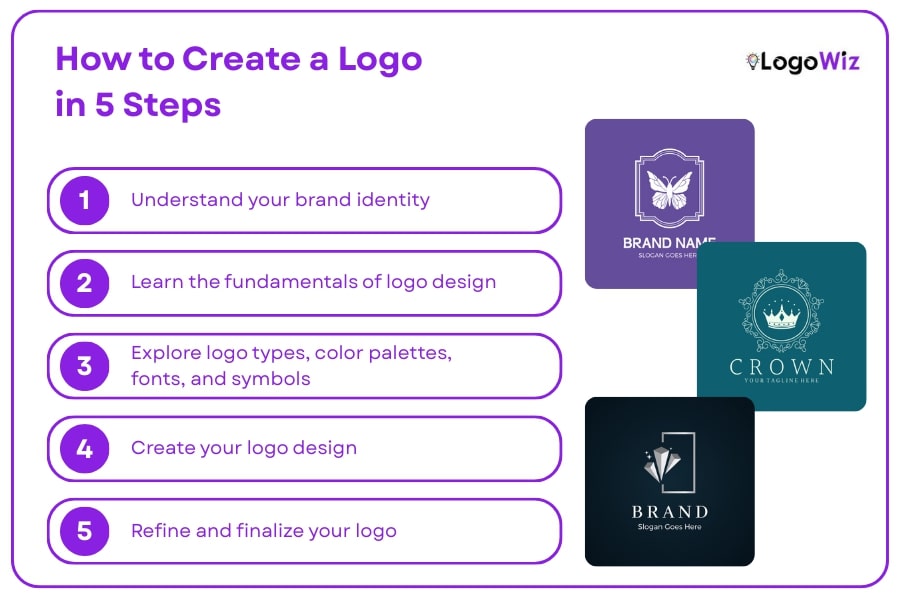
We’ve simplified how to design a logo into five easy-to-follow steps:
- Understand your brand identity
- Learn the fundamentals of logo design
- Explore logo styles, colors, fonts, and symbols.
- Create your logo design
- Refine and finalize your logo
If you’re eager to create a logo quickly, head over to Logowiz logo maker app. It’s free to try!
Ready to turn your ideas into a professional logo? Let’s dive in.
What is a Logo?
A logo is a graphic mark or a symbol that represents the visual identity of a company, brand, product, or service. It typically consists of text (like the brand name) and images (like icons, shapes, or colors) that together create a distinctive and recognizable identity.
The primary purpose of a logo is to make the brand easily identifiable and memorable. A well-designed logo conveys the values, personality, and mission of the brand and also has an integral role in building trust and brand awareness. Logos are implemented in a number of media, including websites and packages, ads, and business cards.
Now that you understand the importance of a logo, let’s dive into the steps to create a logo that truly represents your brand and leaves a lasting impression.
How to Create a Logo: Step-by-Step Guide
In this guide, we’ll break down the process into 5 simple steps to help you understand how to design a logo that not only stands out but also speaks to your audience. Whether you’re starting from scratch or refining an existing design, these steps will guide you toward a memorable and effective logo.
Step 1: Understand your brand identity
Before creating a logo, take time to understand your brand’s core identity and personality.
Your logo serves as the first impression of your business, and it needs to reflect your core values, mission, and the emotions you want to evoke in your audience.
In this step, we’ll look at how to define your brand identity and how it shapes a logo that genuinely reflects your business.
This is a critical part of learning how to make a logo that truly represents your business.
Why Brand Identity Matters for Logo Design
Your brand identity reflects the unique personality and character of your business. It includes your brand’s mission, values, goals, and the way you communicate with your audience. A business logo that aligns with your brand identity creates a cohesive and authentic image that resonates with consumers and sets you apart from the competition. Check out our business logo design guide for more tips on crafting a logo that reflects your brand.
A logo aligned with your brand identity will:
- Build trust and credibility with your audience
- Trigger emotions that resonate with your brand’s character
- Increase recognition across digital and physical platforms
- Visually communicate your core values at a glance
How to Define Your Brand Identity
Defining your brand identity starts with a deep understanding of who you are as a business and what you want to communicate to the world. Here’s how to break it down:
1. Define Your Mission and Vision
Your vision and mission are the foundation of your identity. You should ask yourself:
| Element | Purpose | Example |
|---|---|---|
| Mission | What problem does my business solve? | “We help startups build lasting brand identities.” |
| Vision | What does my business hope to achieve in the long term? | “To be the most trusted logo design platform globally.” |
Having clarity on these points helps ensure your logo aligns with your broader goals and messages.
2. Understand Your Target Audience
Your target audience plays a key role in shaping your brand identity. Consider the following:
- Who are your ideal customers?
- What are their needs, wants, and pain points?
- How do they perceive your industry?
Your company logo should speak to your audience’s preferences and expectations. For instance, a logo for a company targeting younger consumers might be modern, minimalist, and dynamic, while one for a luxury brand could be elegant, traditional, and sophisticated.
3. Establish Your Brand’s Core Values
Your brand’s values guide how you communicate with your audience and the type of experience you deliver. These values should be reflected in your logo design. Common core values to consider include:
- Innovation
- Trustworthiness
- Sustainability
- Creativity
- Reliability
These values will guide the selection of colors, fonts, and symbols for your logo.
4. Choose the Right Tone for Your Brand
The tone of your brand will set the emotion and connotation that your logo must express. Consider the following questions:
- Do you want your brand to feel fun and playful or serious and professional?
- Should your logo be bold and modern or subtle and classic?
- Will your brand’s tone appeal to a younger audience or an older demographic?
Your logo should convey the right tone based on the personality and emotions you want to communicate.
Step 2: Learn the fundamentals of logo design
Before you open any design tool, it’s essential to understand the core principles that make a logo truly effective.
A logo is more than just a nice-looking image; it’s a strategic asset that represents your brand across every touchpoint.
Learning the fundamentals of logo design will help you craft a logo that’s not only beautiful but also functional and meaningful.
Knowing how to design a logo with these principles in mind will make you create something both effective and enduring.
5 Core Principles of Great Logo Design
Great logo design is built on a strong foundation of core principles. Understanding these helps ensure your logo is effective, versatile, and aligned with your brand identity.
Simplicity
A simple logo is easy to recognize, scalable, and memorable. Think of Nike or Apple—clear and iconic.
Versatility
Your logo should work across all platforms and sizes. It must remain clear and effective in every format.
Relevance
Your logo should reflect your industry, audience, and brand tone. Design with purpose.
Memorability
A memorable logo strikes a balance between uniqueness and clarity. Make it easy to recall.
Timelessness
Avoid trendy elements that age quickly. Great logos stand the test of time.
By keeping these core principles in mind, you’ll be able to create a logo that not only looks great but also performs well in the real world.
Step 3: Explore logo types, color palettes, fonts, and symbols
Designing a powerful logo involves more than just inspiration and creativity. It requires informed decisions about the core visual components.
In this step, we’ll explore four essential building blocks that shape every successful logo: logo types, color palettes, fonts, and symbols.
Each of these elements plays a critical role in conveying your brand’s personality, values, and purpose.
1. Logo Types: Choosing the Right Structure
Logos come in different formats and compositions. Selecting the right type depends on how you want people to perceive and remember your brand. If you’re unsure where to start, let’s explore the most common types:

1. Wordmark
A wordmark is a logo built entirely from the brand’s name, using a custom or stylized font. The focus is on the typeface, with the design often tailored to reflect the brand’s personality and uniqueness.
Key Features:
- Uses the brand’s full name.
- Primarily based on typography.
- Ideal for brands with short, catchy names.
- Highly effective when the brand name itself is distinctive.
Examples:
- Google: The simplicity of the Google logo, using a playful, colorful font, allows the name to stand out and be memorable.
- Coca-Cola: The iconic script font and distinctive style of Coca-Cola’s wordmark have made it one of the most recognizable logos worldwide.
- Visa: The bold and clean font of Visa is designed to be simple, clear, and highly legible.
2. Lettermark (Monogram)
A lettermark is a logo that features a brand’s initials instead of its full name. This type of logo relies on customized typography to create a unique, recognizable symbol, ideal for longer brand names.
Key Features:
- Uses the initials or acronyms of a brand name.
- Focuses on typography and letter design.
- Ideal for long or complex brand names.
- Aims for simplicity and recognition through initials.
Examples:
- IBM: The lettermark simplifies International Business Machines into just three letters, making it more accessible and recognizable.
- HBO: The bold and simple use of the initials “HBO” makes it easy to identify and remember.
3. Symbol or Icon (Brandmark)
A symbol or icon logo uses a graphic image or symbol to represent a brand, without any text. A symbol or icon logo represents a brand through a graphic image or symbol, without the inclusion of text. This logo type relies entirely on visual identity, often abstract or literal, to evoke brand recognition.
Key Features:
- Uses only an image or symbol.
- Relies entirely on visual recognition.
- No text included.
Examples:
- Apple: The apple icon is sleek, straightforward, and instantly recognizable, making it one of the most famous logos globally.
- Twitter: The blue bird icon instantly evokes thoughts of communication and social media.
4. Combination Mark
A combination mark merges both text and imagery, combining a symbol with either a wordmark or lettermark. This versatile logo type allows for greater flexibility, making it easier to adapt across various mediums and brand applications.
Key Features:
- Combines text and visuals (wordmark/lettermark paired with a symbol)
- Offers flexibility and adaptability.
- Ideal for building brand recognition through both visual and textual elements.
- Suitable for a variety of applications and platforms.
Examples:
- Adidas: The combination of the three stripes symbol and the Adidas name makes it recognizable across different product categories.
- Burger King: The logo uses both the image of a hamburger and the brand name, reinforcing its identity.
5. Emblem
An emblem is a logo that incorporates text within a defined shape, often circular or shield-like. This logo style typically carries a sense of tradition and authority, making it popular among institutions, government bodies, and heritage brands.
Key Features:
- Text is enclosed within a shape (often circular or shield-like).
- Typically carries a sense of tradition or authority.
- Popular with institutions, government bodies, and luxury brands.
- Often more intricate in design.
Examples:
- Starbucks: The circular emblem with the siren inside creates a classic and recognizable design for the coffee brand.
- Harley-Davidson: The bold, shield-shaped emblem reflects the brand’s strong, rugged, and rebellious identity.
Check out our full guide on the types of logos for deeper insights and examples.
2. Color Palettes: Setting the Emotional Tone
Color is one of the most powerful design elements in logo creation. It influences perception, triggers emotions, and shapes how consumers feel about your brand. A carefully chosen logo color combination ensures your logo communicates the right message effectively.
The Psychology of Color
Different colors evoke different psychological reactions. Here’s a breakdown of what popular colors typically convey:
| Color | Emotions/Associations | Brand Examples |
|---|---|---|
| 🔴 Red | Energy, Excitement, Urgency | Coca-Cola, YouTube |
| 🔵 Blue | Trust, Stability, Professionalism | Facebook, Intel |
| 🟢 Green | Growth, Nature, Sustainability | Spotify, Whole Foods |
| 🟡 Yellow | Optimism, Warmth, Clarity | McDonald’s, Snapchat |
| 🟠 Orange | Playfulness, Creativity, Enthusiasm | Fanta, SoundCloud |
| ⚫ Black | Power, Sophistication, Luxury | Nike, Chanel |
| ⚪ White | Simplicity, Purity, Cleanliness | Apple, Tesla |
Building a Cohesive Palette
Most logos feature a main color along with one or two complementary shades. When creating your palette:
- Stick to 1–2 main colors to maintain clarity and avoid visual clutter.
- Use contrast to improve legibility and visual impact.
- Ensure accessibility by testing how your palette performs for colorblind users or in grayscale.
- Consider how your palette reflects your brand tone: bold for startups, muted for luxury, and vibrant for youth-focused brands.
Here are some logo color combinations to inspire your logo design!
3. Fonts: Crafting Your Brand’s Voice
Typography in logo design is just as crucial as color and iconography. The font you choose communicates your brand’s tone, whether it’s modern and minimal or classic and reliable. Choosing the right logo fonts can help shape how your audience perceives your brand at first glance.
Font Classifications and Their Meanings
Let’s explore the four main types of fonts and when to use them:
Serif Fonts
Serif fonts are traditional and have decorative strokes at the ends of each letter. They represent authority, sophistication, and trustworthiness, commonly seen in formal or established brands.
Sans-Serif Fonts
Sans-serif fonts are clean, modern, and straightforward without decorative strokes. These fonts convey simplicity, clarity, and contemporary style, making them perfect for minimalist and tech brands.
Script Fonts
Script fonts resemble cursive handwriting, giving a personal and elegant feel. These fonts communicate creativity, friendliness, and sophistication, ideal for artistic and boutique brands.
Display Fonts
Display fonts are bold, decorative, and designed to make a statement. They are used to grab attention and make a strong impact, perfect for unique, eye-catching logos.
Discover the best logo fonts to create a distinctive brand identity!
4. Symbols and Icons: Visual Storytelling Elements
Symbols give logos instant visual recognition. They can represent abstract ideas, literal objects, or brand stories in a compact form.
Types of Symbols
There are different types of logo symbols, including:
- Abstract icons: Non-literal visuals like Nike’s swoosh or Pepsi’s globe
- Pictorial marks: Literal representations like Apple’s apple or Twitter’s bird
- Geometric shapes: Squares (stability), circles (unity), triangles (innovation)
What Makes a Great Symbol
- Simplicity: Clean lines and minimal detail make it more versatile and memorable.
- Relevance: The symbol should align with your brand’s identity or purpose.
- Scalability: It should work on both a billboard and a favicon.
- Uniqueness: Avoid clichés and overused icons like generic globes or lightbulbs.
Integrating Symbols into Your Logo
You can position symbols:
- Next to the wordmark (left or right)
- Above the text for a vertical layout
- Inside the text (as a letter replacement or accent)
- As a standalone icon for brand apps, favicons, and avatars
Make sure your symbol and text work well both together and separately. This gives your brand flexibility across platforms and devices.
Bringing It All Together
When all four elements, logo type, color palette, typography, and symbol, are thoughtfully chosen and aligned with your brand strategy, the result is a logo that is both aesthetically pleasing and strategically effective.
These elements aren’t chosen randomly. They’re driven by brand purpose, personality, and audience expectations.
Step 4: Create your logo design
With a clear understanding of your brand identity and the design principles in place, it’s time to bring your logo to life. In this step, you have two options: designing your logo from scratch or using an online logo maker. Both methods have unique advantages, depending on your skills, resources, and timeline. Let’s dive into each approach.
Option #1: Design Your Logo from Scratch
If you have graphic design experience or access to design software, creating your logo from scratch gives you full creative control. Here’s how you can approach it:
1. Sketch Your Ideas
Start with rough sketches to explore your logo’s shapes, symbols, and typography. This doesn’t have to be perfect; just capture the essence of your brand visually.

2. Choose Your Design Software
Once you have a rough idea, transition to professional design software like Adobe Illustrator or CorelDRAW. These tools let you work with vector graphics, which allows your logo to scale infinitely without losing quality.
3. Refine Your Design
Digitally recreate your sketches, experimenting with different fonts, colors, and layouts until the design aligns with your brand identity. Aim for simplicity and clarity to ensure your logo remains versatile.
4. Test and Revise
Test your logo on different platforms, like your website or social media, to see how it performs. Resize it, try different backgrounds, and refine your design as needed to ensure it works well in various contexts.
Option #2: Use an Online Logo Maker
If you’re short on time, don’t have design skills, or just prefer an easier solution, an online logo maker is the way to go. These tools allow you to quickly generate a professional logo by customizing pre-made templates. Here’s the process:
1. Select a Logo Maker Tool
Choose a user-friendly logo maker that fits your needs. Tools like Logowiz offer customizable templates that make the design process straightforward.
AI Logo Generators Take It a Step Further
Today, many online logo makers are powered by artificial intelligence, making the process even faster and more intuitive. By using a Logowiz AI logo generator, you can create a logo with ease by simply entering your brand name, industry, and preferences. This tool uses machine learning to understand design trends, color psychology, and layout balance, delivering impressive results with minimal input. If you’re looking for a smarter, more efficient way to design a logo, an AI logo maker is a game-changer.
Check out our guide on the best AI logo generators to pick the one that fits your needs.
2. Enter Your Brand Name
Start by entering your brand name, and the logo maker will generate templates based on your industry and identity.
3. Customize the Template
Browse through different logo templates and choose one that resonates with your brand. From there, customize it by adjusting the font, colors, and layout. Many logo makers also allow you to tweak icons and symbols to match your vision.
4. Download Your Logo
Once you’re happy with your design, download it in various formats. Most logo makers provide high-resolution PNGs for web use and scalable vector files for print.
5. Test Your Logo
Even with a logo maker, testing is crucial. Ensure your logo looks great on different devices and sizes. Most tools provide mockups to preview how your logo will appear across multiple platforms.
Both options will result in a professional and effective logo for your brand. Designing from scratch offers complete creative freedom, while an online logo maker is quick and accessible for those with limited design experience. The key is to choose the method that aligns best with your needs and ensure your logo remains consistent with your brand identity.
Step 5: Refine and finalize your logo
After creating your initial logo design, the final step is to refine and perfect it. This is where you take a step back, evaluate the design, and make adjustments to ensure that it represents your brand in the best possible way. Refining your logo helps to address any visual inconsistencies and ensures the design works across different platforms and formats. Here’s how you can finalize your logo to make it the best it can be:
1. Get Feedback from Others
Sometimes, it’s hard to spot the flaws in your design, which is why getting feedback from others can be invaluable. Reach out to colleagues, friends, or even potential customers to get their perspective. Consider the following:
- Clarity: Do they understand what your brand is about just by looking at the logo?
- Aesthetics: Does the design look professional and polished? Does it align with your brand identity?
- Memorability: Is the logo something they can easily remember and recognize later?
Don’t be afraid to gather input from diverse sources, as this will help identify any areas of improvement that might not be obvious at first.
2. Check for Scalability
A good logo needs to work in a variety of sizes, from a tiny icon on a mobile app to a large billboard advertisement. Test your logo in multiple sizes to ensure that it’s legible and recognizable across different formats.
- Small sizes: Make sure it remains legible when reduced to fit on business cards, social media avatars, or website favicons.
- Large sizes: Check that it doesn’t lose its impact when blown up for banners or posters.
If the logo doesn’t look great in both small and large formats, consider adjusting elements like text size, spacing, or icon complexity.
3. Test it in Different Backgrounds and Contexts
Your logo will appear in a variety of environments, and it’s important that it looks good in all of them. Test your logo against different backgrounds, both light and dark, to see how it performs. Ensure that the colors contrast well and that it stands out, regardless of where it’s placed.
- Light vs. dark backgrounds: Ensure the logo looks balanced in both scenarios. You might need to create two versions—one for light backgrounds and one for dark backgrounds.
- On digital and physical platforms: Consider how your logo will appear on websites, mobile apps, business cards, promotional items, and even packaging.
4. Ensure It’s Versatile
Your logo should be versatile enough to adapt to various formats and uses. You may need to create a few different versions of the logo to suit different contexts:
- Horizontal and vertical versions: Sometimes a logo might work better in a horizontal format (e.g., for website headers) and other times in a stacked, vertical format (e.g., for social media profile pictures).
- Color and monochrome versions: Ensure your logo is effective in both full color and black-and-white (or grayscale). You may need to adjust the design to ensure that it’s still recognizable without color.
- Responsive versions: In some cases, your logo may need a simplified version for small spaces (like a mobile app icon) and a more detailed version for larger formats.
5. Make Final Adjustments
Now that you’ve tested your logo across various sizes, backgrounds, and contexts, it’s time to make any final tweaks. This could include:
- Refining the typography: Ensure the font choice is legible at all sizes and is consistent with your brand’s voice.
- Spacing and alignment: Double-check that elements are spaced correctly and are visually balanced. Pay attention to any asymmetries that might affect the logo’s harmony.
- Color tweaks: Adjust the color palette if needed to ensure the logo is vibrant and aligned with your brand’s personality. Test it in different lighting conditions to ensure it looks good in various environments.
6. Create Different File Formats
Once you’re satisfied with your design, make sure to export your logo in various file formats and resolutions. This will ensure you have the right file for every possible use:
- Vector files (AI, EPS, SVG): These are essential for scaling your logo without losing quality, and they are ideal for print materials and large displays.
- Raster files (PNG, JPEG): These are best for digital uses, including websites and social media. A PNG file with a transparent background is particularly useful for versatile applications.
- PDF files: These are useful for creating print-ready versions of your logo.
7. Protect Your Logo
Once you’ve finalized your logo, consider trademarking it to protect your brand’s identity. Registering your logo ensures that no one else can legally use it, which can help safeguard your brand’s unique visual identity in the marketplace.
Also Read
How to make a logo on iphone – Learn how to design logos on the go using your iPhone.
how to make a logo on android – A simple guide for Android users to create logos from anywhere.
how to make business logo with AI – Discover how AI tools can help you build a unique and professional business logo effortlessly.
Conclusion
A logo is the cornerstone of your brand’s identity, and getting it right is crucial for standing out in a competitive marketplace. By understanding the basic elements of logo design and applying the tips in this guide on how to design a logo, you’ll be well on your way to creating a logo that perfectly represents your brand. Keep in mind that a thoughtfully crafted logo can leave a lasting impact, building credibility, trust, and recognition with your audience
Frequently Asked Questions (FAQs)
A logo is the visual identity of your brand. It helps you stand out, builds recognition, and creates a strong first impression. A well-designed logo communicates your values and builds trust with your audience.
The five main types of logos are:
Wordmark (text-only, e.g., Google)
Lettermark (initials, e.g., HBO)
Symbol or Icon (graphic-only, e.g., Apple)
Combination Mark (text + icon, e.g., Adidas)
Emblem (text inside a symbol or badge, e.g., Starbucks)
Each serves a unique purpose depending on your brand style and needs.
To design your own logo:
- Define your brand identity (values, tone, target audience)
- Choose a logo style and color scheme
- Use a tool like LogoWiz to generate and customize your design
- Test your logo in different sizes and formats
- Refine and finalize it for use across your brand
Yes, several apps make logo creation simple. LogoWiz is a powerful AI logo generator that lets you design a professional logo in minutes. Other options include Canva, Looka, and Logo Maker by Shopify.
Yes, you can legally make your own logo using platforms like LogoWiz. Just make sure your design is original and not copied from another brand. To protect your logo, consider registering it as a trademark.
Logo design can cost anywhere from $0 to $1000+ depending on your method. DIY tools like LogoWiz offer affordable or even free options with premium packages for high-resolution files and commercial use rights—perfect for startups and small businesses.
The best logo style depends on your brand’s personality:
- Minimalist for tech and modern brands
- Bold emblems for sports or traditional businesses
- Playful symbols for kids’ or creative brands