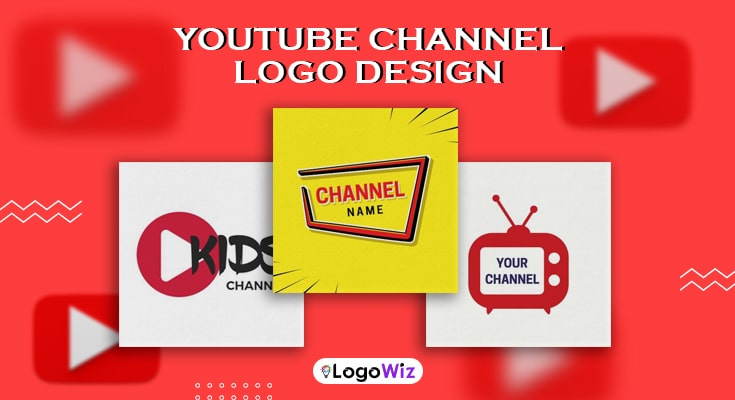
Your YouTube channel logo is the first thing viewers notice — and it needs to make an impact instantly. A great logo wins subscribers, a generic one loses them. With the right YouTube channel logo templates, you can create something professional in just minutes.
Explore Various YouTube Channel Logo Templates & Design Ideas











Your YouTube channel logo is the first impression your audience gets — and on a competitive platform, that impression matters instantly.
Whether you’re launching a new channel or rebranding an existing one, YouTube channel logo templates make the process simple and affordable. Instead of spending hundreds on a designer or struggling with complex tools, you can use professional YouTube channel logo designs built on proven design principles. In just minutes, you can customize colors, fonts, and icons to match your niche. If you’re still exploring, browsing through different YouTube channel logo ideas can help you figure out exactly what direction suits your brand best.
In this guide, you’ll learn how to choose the right template, personalize it effectively with a logo creator, and create a premium-looking logo without the premium price tag.
What Makes a Great YouTube Channel Logo?
Not all logos are created equal. Before diving into YouTube channel logo ideas, there are a few universal qualities that separate great YouTube channel logos from forgettable ones.
Simplicity Is Everything
Your YouTube channel logo will often be displayed at very small sizes — especially on mobile devices. That means overly complicated YouTube channel logo designs tend to fall apart at smaller dimensions. The best YouTube logos are clean and simple. To create a logo, use bold shapes, easy-to-read fonts, and a limited color palette. Less really is more.
A simple logo is also easier to remember. Here, cooking logo templates can inspire layouts with warm and friendly vibes, which help channels focused on lifestyle, vlogs, or tutorials.
It Has to Be Scalable
A great logo looks good whether it’s 30 pixels or 3,000 pixels. Fortunately, most YouTube channel logo templates are designed with scalability in mind. They use vector-based graphics that resize without losing quality, so your logo looks sharp on every screen.
Additionally, your logo needs to look great in both circular and square crop formats, since YouTube uses both depending on where your icon appears.
It Must Match Your Niche and Personality
Your YouTube channel logo should feel like a natural extension of your content. If you run a comedy channel, your logo can be playful and fun. If you create documentary-style content, a serious and structured design might work better. The key is alignment — your logo and your content should feel like they belong together.
Key Considerations Before Choosing a YouTube Channel Logo Template
Picking a YouTube channel logo template sounds like the easy part — and mostly, it is. But a little thinking before you start can save you a lot of frustration later. Here are a few things genuinely worth considering before you create a logo that represents your channel.
1. Know Your Niche First
This one seems obvious, but you’d be surprised how many creators skip it. Your YouTube channel logo should immediately tell people what your channel is about. A gaming channel and a wellness channel shouldn’t look anything alike. Looking at a variety of YouTube channel logo ideas within your niche is actually a great way to get started.
2. Think Long-Term, Not Just Right Now
Trends come and go, and a YouTube channel logo that feels super fresh today might look outdated in a year. Rather than chasing what’s popular, go for something clean and timeless that can grow alongside your channel. When you design a logo with longevity in mind, you’ll rarely need to revisit it.
3. Don’t Underestimate Colors and Fonts
Your color palette and typography do a lot of heavy lifting. They set the mood, shape first impressions, and tell viewers what kind of creator you are — all before they’ve watched a single second of your content. So choose thoughtfully, not just what looks cool at the moment.
4. Always Check How It Looks Small
Your YouTube channel logo will often appear as a tiny circular icon, especially in comment sections and search results. If it looks cluttered or unreadable at small sizes, it’s time to simplify. Always preview it scaled down before you commit.
A little consideration upfront goes a long way toward building something that actually lasts.
Types of YouTube Channel Logo Templates
Now, here’s where things get exciting. YouTube channel logo templates come in a wide variety of styles, and there’s genuinely something for every type of creator. Let’s explore the most popular categories.
1. Gaming Channel Logo Templates
Gaming logos are all about energy, attitude, and impact. They typically feature bold typography, glowing effects, dark backgrounds, and iconic gaming imagery like controllers, shields, fire, or lightning bolts.
If you’re a streamer or a Let’s Play creator, exploring different gaming logo designs with sharp edges and a neon color scheme can instantly communicate your vibe. These designs look incredible on both YouTube and Twitch, making them a smart investment for multi-platform creators.
2. Beauty and Lifestyle Logo Templates
On the other end of the spectrum, beauty and lifestyle templates lean into elegance. They often use soft fonts, floral or minimal illustrations, pastel palettes, and clean line art. These logos feel feminine, approachable, and aspirational — perfect for beauty tutorials, fashion hauls, and everyday vlogs.
What’s more, many of these YouTube channel logo designs include options for monogram-style logos, which are incredibly popular in the beauty space right now.
3. Tech and Education Channel Logo Templates
Tech and education creators tend to go for clean, modern, and professional logos. Think geometric shapes, sans-serif fonts, circuit board motifs, and cool blues or dark tones. These designs communicate authority and intelligence — exactly what viewers look for when they’re trying to learn something.
If you’re building an educational channel, browsing through dedicated education logo designs can give you a huge head start in finding something that feels both credible and visually compelling.
4. Kids and Family Channel Logo Templates
Bright, cheerful, and full of personality — that’s the winning formula for family and kids’ channel logos. These templates use rounded fonts, rainbow colors, and playful illustrations like stars, characters, and animals. They’re designed to appeal to younger audiences while still communicating warmth and fun to parents.
How to Customize a YouTube Channel Logo Template
The real magic happens when you make it your own. And honestly, most modern logo tools make it surprisingly easy to design a logo from scratch, even if you’ve never touched a design tool in your life.
1. Changing Fonts and Typography
Fonts carry way more personality than people realize. A bold all-caps font feels confident. A handwritten script feels warm and creative. A clean geometric font looks sharp and modern. Don’t just stick with whatever the template defaults to — explore a little. Most tools let you swap fonts with a single click, so it takes no time at all.
2. Updating Colors to Match Your Brand
A simple color swap can make a template feel like something you built entirely from scratch. Think about the colors you already use across your thumbnails and channel art — your logo should feel like it belongs to the same family. Most tools even let you enter exact hex codes, making it super easy to stay consistent.
3. Adding or Adjusting Icons and Symbols
Most YouTube channel logo templates come with placeholder icons that are genuinely meant to be swapped out. A microphone for a podcast, a camera for a vlogger, a book for an educator — small changes like these make your logo feel intentional. That one little detail matters more than you’d think. Interestingly, badge logo templates often reveal how minimal designs work best because they focus on clarity and strong shapes.
4. Keep It Simple
It’s easy to get carried away adding elements during customization. But remember — cleaner almost always wins. If your YouTube channel logo starts feeling cluttered, take something away rather than adding more.
5. Save Multiple Versions
Before finalizing, save a few different versions of your design. Sometimes what looks perfect today feels slightly off tomorrow. Interestingly, cooking logo templates can inspire layouts with warm and friendly vibes, which help channels focused on lifestyle, vlogs, or tutorials.
Pro Tips for Making Your Logo Truly Unforgettable
So you’ve picked your template, tweaked the colors, and you’re finally happy with how it looks. That’s a great feeling. But before you rush to hit upload, take a few extra minutes and go through these tips first. They’re simple — but they genuinely make a difference.
Keep It Consistent Across All Platforms
Think about it this way — if someone discovers you on Instagram or TikTok before they find your YouTube channel, your logo should feel instantly familiar across all of them. That kind of visual consistency is what separates creators who look like a real brand from those who just look like they’re winging it. It doesn’t take much effort, but the payoff is huge.
Test It Against Different Backgrounds
Here’s something that trips up a lot of creators. Your logo won’t always sit against the same background — YouTube switches between light and dark depending on where your icon appears. So do a quick test. Pull your YouTube channel logo up against both a white and a dark background and see what happens. If it fades or disappears on either one, a simple outline or a subtle background shape behind the icon will sort it out.
Get Feedback Before You Commit
Honestly, this step is so easy to skip — and so worth not skipping. Send your logo to a couple of friends, fellow creators, or even your most engaged subscribers and just ask what they think. You’ve been staring at this design for a while now, and fresh eyes will almost always catch something you’ve completely stopped noticing. A few honest opinions now can save you a lot of regret later.
When in Doubt, Simplify
If something still feels off but you can’t quite put your finger on what — simplify. Remove an element, clean up the layout, strip it back a little. A simpler logo almost always looks more professional, more memorable, and more timeless than one that’s trying too hard.
Conclusion
And that’s really all there is to it. Creating a YouTube channel logo doesn’t have to be complicated or expensive — it just has to be intentional. Start with a solid template, keep things clean and simple, and customize it to reflect your channel’s personality.
Your logo is often the first thing a potential subscriber notices, so it’s absolutely worth getting right. Go ahead, fire up a logo maker and build something you’re genuinely proud of. Your audience is waiting — give them a logo worth remembering.
FAQs About YouTube Channel Logo Designs
It’s simpler than you’d think. Just enter your channel name and a few basic details into a logo maker tool, then browse through the YouTube channel logo designs and pick one that fits your vibe. From there, customize the colors, fonts, and icons to make it your own. Once you’re happy, download it as a PNG and share it straight to your channel. Honestly, the whole thing takes under 15 minutes.
The biggest ones are using too much text, picking fonts that are hard to read at small sizes, ignoring the circular crop, and going overboard with colors. Keep it clean, keep it simple, and always preview it small before finalizing.
YouTube recommends uploading your channel icon at 800 x 800 pixels. That said, it displays as a circle, so make sure your design fits well within that circular crop before finalising.
Not at all. That’s honestly the whole point of templates. Most logo tools are drag-and-drop based, meaning anyone can customise a logo without any design background whatsoever.
There’s no hard rule here. Generally speaking, if your branding still feels relevant and your audience recognises it, there’s no urgent reason to change it. Most creators refresh their logo when they rebrand or significantly shift their content direction.